·
4 min read
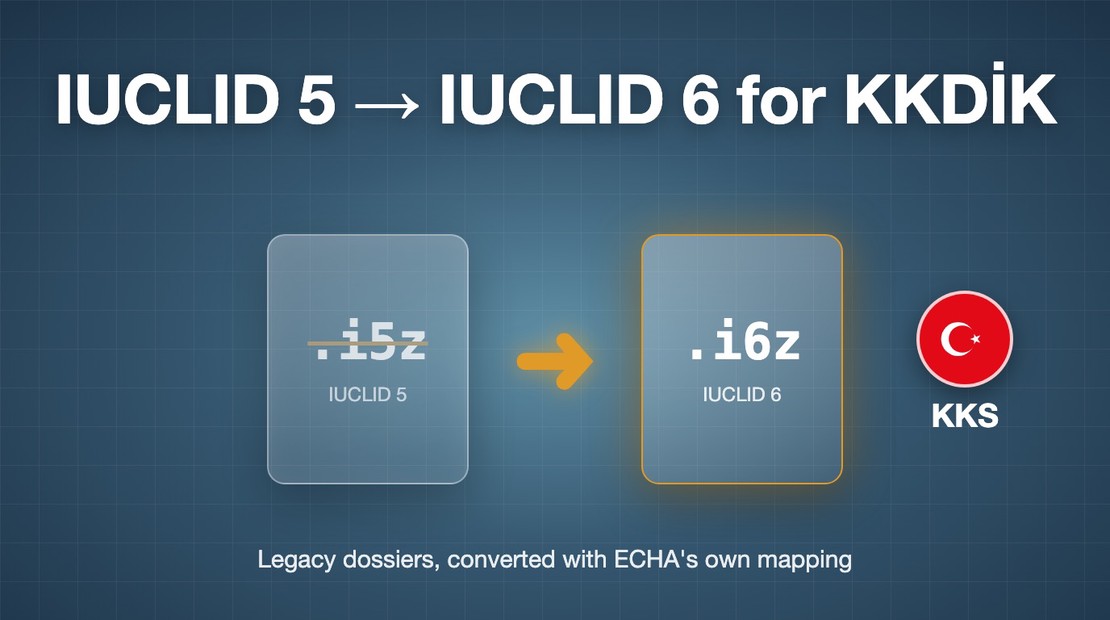
Your IUCLID 5 File Won't Go Into KKS
On 31 July a Hungarian manufacturer sent us two files ending in .i5z with one short question: can Türkiye accept these?
Have questions? We're here to help.
Yes: 4chems runs a public MCP server for its IUCLID, CHESAR and QSAR Toolbox hosting. What it does, which tools need no token, and how to add it to Claude, Copilot or any MCP client.
Have questions? We're here to help.
Yes, there is an MCP server for IUCLID. 4chems runs a public, remote
Model Context Protocol server at
https://mcp.4chems.com/mcp for its hosted IUCLID, CHESAR, QSAR Toolbox and
IIP platform. Any MCP client — Claude Code, Claude Desktop, claude.ai, GitHub
Copilot, Cursor, VS Code — can connect to it today. This article answers the
questions we get most often about it, in the order people ask them.
Because a fresh assistant has no connectors. A colleague asked a clean Claude session for “the MCP at 4chems.com” and got the honest answer that nothing by that name was in its tool menu. That is how MCP works: an assistant can only use servers that were added to its configuration beforehand. It will not reach out to an arbitrary URL just because a chat message mentions it.
So the first step is always the same: add the endpoint once. After that the 4chems tools appear in the assistant’s tool list, and it can call them.
In Claude Code, one command:
claude mcp add --transport http 4chems https://mcp.4chems.com/mcp
In Claude Desktop or claude.ai, open Settings → Connectors → Add custom
connector, paste https://mcp.4chems.com/mcp, and pick the option without
authentication. The server has no OAuth flow; tools that need a token take it
as an argument instead.
In other MCP clients, add a remote server with transport Streamable HTTP and the same URL.
Agents that discover servers automatically can read
/.well-known/mcp.json on www.4chems.com or the
mcp-server link hint in the head of every page.
Connecting and listing tools is anonymous, and nine tools need no token at all:
start_inquiry sends a 6-digit code to the
user’s email, verify_inquiry delivers the inquiry to a person at 4chems.
No web form, no account.get_catalog_templates lists the hosted
applications and trial templates, get_onboarding_route returns the next
onboarding step, get_legal_entity_types the entity types for a country.start_account_registration and
verify_account_registration create an account from a business email;
start_device_login and verify_device_login sign an existing user in.That is enough for an assistant to answer first questions about IUCLID or CHESAR hosting, check whether a company can self-serve a trial, and hand the conversation to us when it cannot answer alone.
Everything that touches a tenant: access requests, tenant setup, billing
details, invitations, consents, member roles and service subscriptions. Those
tools take a Bearer token as their authorization argument. Tokens are issued
by 4chems and tied to the user’s own tenant, so an assistant can only act
where that user already has rights. The full tool list, grouped by area, is on
the MCP server page.
No. The platform server carries no substance or dossier data. AI access to IUCLID 6 dossier data runs through the separate 4chems AI Connector: authenticated per user, EU-hosted, and built so the model connects to your data while your data does not move. For the QSAR Toolbox workflow — read-across, (Q)SAR prediction and QMRF/QPRF/CCR reporting — there is 4chems QSAR Navigator, a managed MCP gateway to the Toolbox.
Keeping the three apart is deliberate. A platform-admin tool that can invite members should not sit next to a tool that reads toxicology endpoints, and a regulatory team should be able to see exactly which door an assistant walked through.
The server tells it. The initialize response carries instructions: ask for
explicit consent before adding the server or triggering changes, never guess
the 6-digit codes, treat the token as a secret, confirm anything that changes
consents, assignments or services, and use start_inquiry when a question
cannot be answered from the catalog alone. The same rules are on the
MCP server page for humans, and in /llms.txt for
crawlers and agents reading the site as text.
On the same ISO 27001-certified European infrastructure as the hosted applications, under a GDPR data-processing agreement. 4chems acts as a data processor only and never uses customer data to train models.
https://mcp.4chems.com/mcp.Oliver Philippsen is the founder and general manager of 4chems. He writes about regulatory data management, IUCLID infrastructure, and the practical realities of AI in chemical compliance. Questions about the MCP server — get in touch.
On 31 July a Hungarian manufacturer sent us two files ending in .i5z with one short question: can Türkiye accept these?

Running IUCLID on your own server made sense when you started. But on-premise installations quietly accumulate cost: …
Read More →
The question we get most often from compliance directors at consulting firms: how do you make sure my client’s …
Read More →